

Frequently Asked Questions
Find answers to common questions about TCG Vault, from scanning and collections to subscriptions and troubleshooting.
General
What is TCG Vault?

TCG Vault is an iPhone and iPad app for scanning, identifying and tracking trading cards. Point the camera at a card and it shows the card, its set and its current market price, then lets you add it to a collection that keeps a running total value.
Which trading card games are supported?
Twelve: Pokémon, Magic: The Gathering, Yu-Gi-Oh!, One Piece Card Game, Disney Lorcana, Flesh and Blood, Star Wars: Unlimited, Digimon Card Game, Union Arena, Grand Archive, Gundam Card Game and Riftbound (League of Legends).
Is the app free?
TCG Vault is free to download, and the free plan includes searching any card with its market price, 3 camera scans a day, one collection and a wishlist. Premium — $49.99 a year in the US, or weekly with a 3-day free trial — adds unlimited and multi-card scanning, unlimited collections, full price history, price alerts, a collection value chart, CSV import and export, widgets and Apple Watch.
Is TCG Vault available on Android?
Not yet. TCG Vault is available for iPhone on the App Store.
Is TCG Vault the same as other apps or projects called TCG Vault?
No. This TCG Vault is the card scanner app by Appcellent (App Store id 6758110523, tcgvault.io). It is not affiliated with other App Store apps, websites or Web3 projects with a similar name, has no token or cryptocurrency and does not sell cards. The full list is on our About page.
Card scanning
How does the card scanner work?
The camera reads the card with on-device text recognition, then TCG Vault matches it against its card database and shows the name, set, rarity and market price within seconds.
How accurate is the scanner?
Very accurate for cards in good condition. Lighting, glare, the angle of the card and image quality all affect the result, so flat cards in even light scan best.
What are Auto and Manual scan modes?
Auto mode scans cards continuously as they come into frame. Manual mode captures one card per tap. Both modes detect duplicates.
Are card images stored?
No. Text recognition runs on your iPhone; only the recognized text is sent to our servers to identify the card, and camera images are not stored.
The scanner is not recognizing a card. What should I try?
Use even lighting without glare or shadows, hold the card flat and fully in frame, try another zoom level, turn on the flash in low light, and check that the right game is selected.
Collections
How do I create a collection?
Open the Collections tab, tap “+”, give the collection a name and pick a color.
Can I have multiple collections?
One collection is free. Additional collections are part of the premium subscription.
How do I add cards to a collection?
Add a card from its detail screen or straight after scanning it: choose the collection and set the quantity.
How is my collection value calculated?
Each card’s current market price is multiplied by the quantity you own, and the results are added up. Prices come from TCGplayer market data and are shown in your chosen currency.
Prices and market data
Where do prices come from?
Card prices come from TCGplayer market data and are refreshed daily.
Can I see prices in my own currency?
Yes. TCG Vault supports more than 30 currencies, including USD, EUR, GBP, JPY, CAD, AUD and TRY. Change it any time in Settings.
What are price history charts?
Charts that show how a card’s price moved over the last one, three and six months. They are a premium feature.
Are the prices guaranteed?
No. Prices are for information only and reflect recent marketplace data; they should not be the only basis for buying or selling a card.
Subscription and billing
What does the premium subscription include?
Unlimited card scanning, interactive price history charts (1M, 3M and 6M), unlimited collections and direct TCGplayer marketplace links.
What plans are available?
Weekly and yearly plans. Current prices are shown in the app before you buy.
How do I cancel my subscription?
Open the Settings app on your iPhone, tap your name, then Subscriptions → TCG Vault → Cancel Subscription. Premium stays active until the end of the period you paid for.
How do I restore a purchase?
Open Settings inside TCG Vault and tap “Restore Purchases”.
How do I get a refund?
Refunds are handled by Apple. Request one at reportaproblem.apple.com or through Apple Support.
Privacy and support
What data does TCG Vault collect?
Device identifiers, usage analytics, your collection data and preferences, and subscription status. Camera images are not stored or uploaded. The privacy policy has the full list.
Can I delete my data?
Yes. Email support@tcgvault.io and we will delete your data.
Does TCG Vault need an internet connection?
Yes, for scanning, price updates and syncing. Card data you have already loaded stays available offline.
How do I contact support?
Email support@tcgvault.io. Include your iPhone model and app version if you are reporting a problem — it helps us answer faster.
Still have a question?
Email us and a person will answer. For subscription changes, cancellations and refunds, Apple handles billing — Settings → your name → Subscriptions on your iPhone is the fastest route.
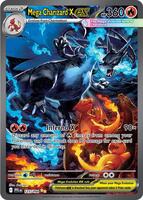
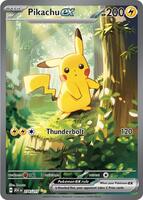




See what your cards are really worth.
Scan a card with your iPhone and TCG Vault shows its market price in seconds — then keeps your whole collection’s value up to date.
 Download on iOS
 4.5★ from 107 App Store ratings
Still choosing? See 9 card scanner apps compared →